 Videotoy
Your Shadertoy shaders, rendered as MP4 video — frame by frame.
Videotoy turns a GLSL, WGSL, or HLSL shader into a video file through a fully deterministic render pipeline. No dependency on your machine's real-time performance: every frame is computed and encoded exactly like the ones before it, with FFmpeg bundled in — nothing else to install.
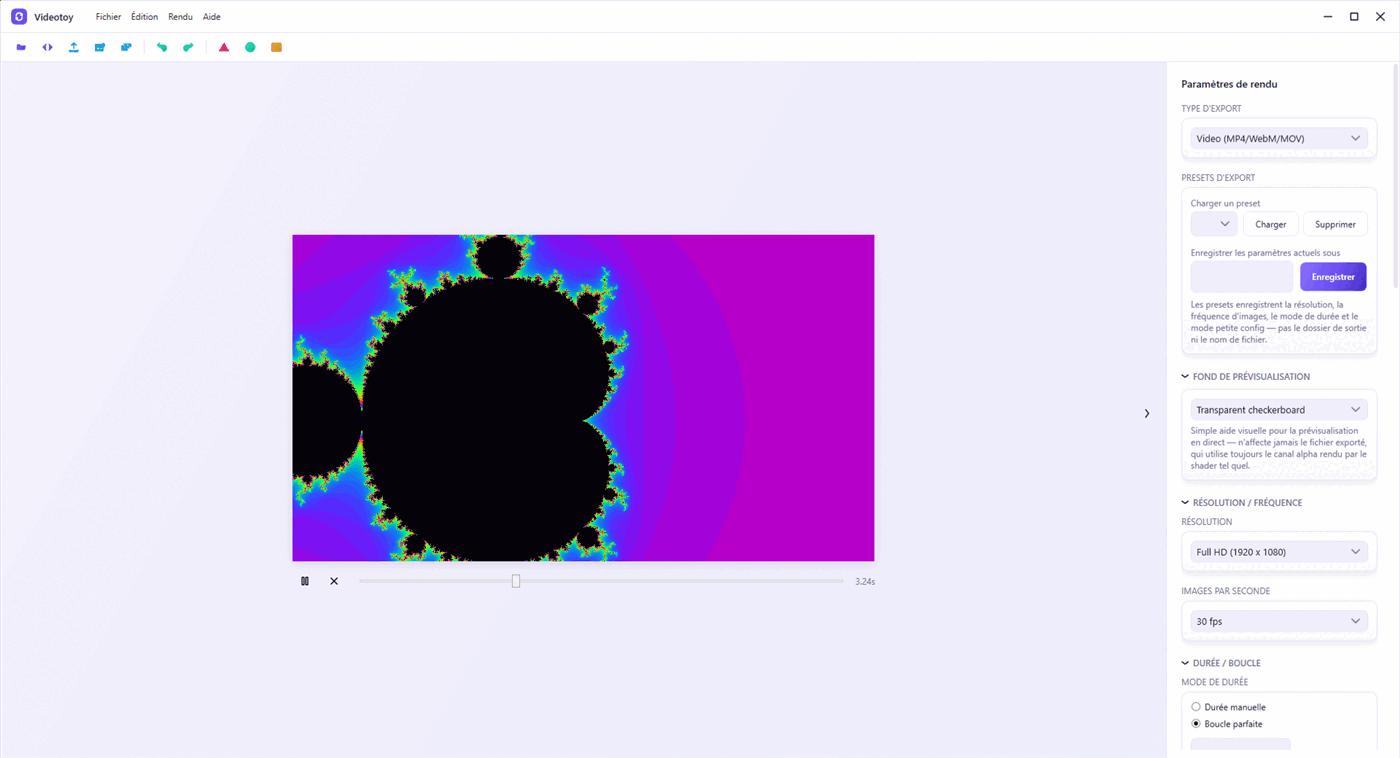
// pipeline
Three steps, from GLSL to delivered file
Every frame is computed from its frame number and the target FPS — never from the system clock. The render you export at 11pm on a modest laptop is identical to the one rendered on a workstation.
Load the shader
Drag a .glsl, .frag file, or a full Shadertoy
export (.json, multi-pass, Buffer A–D) straight onto the viewport.
Compilation errors show up with their line number.
Set up the export
Resolution, FPS, codec, manual duration or a perfect loop computed to the exact frame. A loop-seam preview and a file-size estimate before you even start rendering.
Export to MP4
Frames are streamed directly into FFmpeg's stdin pipe — no intermediate
disk write. Audio is synchronized and muxed in a single pass when the
shader uses an audio iChannel.
// features
Built for the perfect loop
Generative shaders often live on a loop — wallpaper, video dressing, installation art. Videotoy computes the seam down to the frame, instead of leaving you to guess.
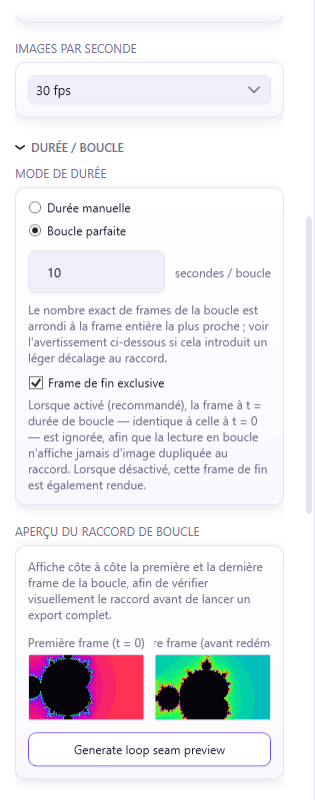
A seamless join, no dropped or duplicate frame
Enter a loop duration in seconds: Videotoy computes
frameCount = round(duration × FPS), automatically
excludes the closing frame that's identical to the first one, and
warns you if the division isn't exact — with an assisted fix.
- "Manual duration" or "Perfect loop" mode
- Heuristic detection of the shader's native period
- Side-by-side preview of the first and last frame
Real transparency for compositing
Export with a genuine straight alpha channel — ProRes 4444 (MOV) or VP9 (WebM) — for shaders meant to be composited over other footage instead of always rendering opaque.
- "Opaque" or "Straight alpha" selector, shown only when supported
- Invalid codec/container/alpha combinations rejected before export
- Verified end-to-end with real
ffprobeexports
From phone format to 4K, in one click
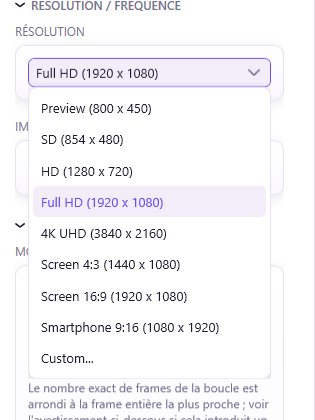
Preview, SD, HD, Full HD, 4K UHD — plus ready-made aspect presets for 4:3 screen, 16:9 screen, or 9:16 portrait smartphone. A custom resolution is always available too.
- 24 / 25 / 30 / 60 FPS or a custom value
- H.264 / H.265 codecs, CRF or bitrate control
- Export presets saved as JSON
// under the hood
The rest of the pipeline
Multi-pass
Buffer A/B/C/D and Common with ping-pong render targets for feedback shaders.
Audio input
WAV / MP3 / OGG as a spectrum or waveform source, generated deterministically per frame, then muxed on export.
Custom uniforms
Sliders generated dynamically to tweak the uniforms exposed by the shader, live in preview.
Low-spec mode
Strictly sequential rendering, no dropped frames, with CPU/GPU throttling when needed.
Alpha channel
Straight alpha export in ProRes 4444 or VP9, for shaders composited over other footage.
Native Windows interface
Chromeless window with Mica effect on Windows 11, strict MVVM, single light theme.
French / English
Full localization with hot language switching, no restart required.
Render queue
Batch multiple exports, drag to reorder, and let them render one after another with per-item progress and error isolation.
Undo/redo
A shared history stack for every render setting, with cascade-aware snapshots and coalesced slider/text edits.
GLSL / WGSL / HLSL
Automatic shader-language detection, with GIF/WebP animated-image export and WebM/MOV/ProRes containers alongside MP4.
A clear record of who made what
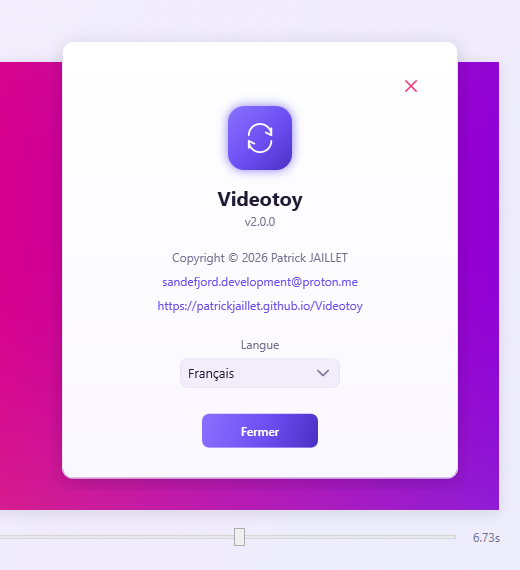
Software name, SemVer version, copyright, contact and website — all gathered in the "About" window, accessible from the Help menu.
- Version displayed per strict SemVer
- MIT license
// download
Ready to render your first shader
The installer bundles FFmpeg — no external dependency to install. Check the release notes before updating an existing project.
v2.4.1
Windows 10 (build 19041+) or 11
Inno Setup installer, FFmpeg included
MIT — free to use, open source